Picky UI






A FoundryVTT module that allows you to hide aspects of the UI of your game.
Overview
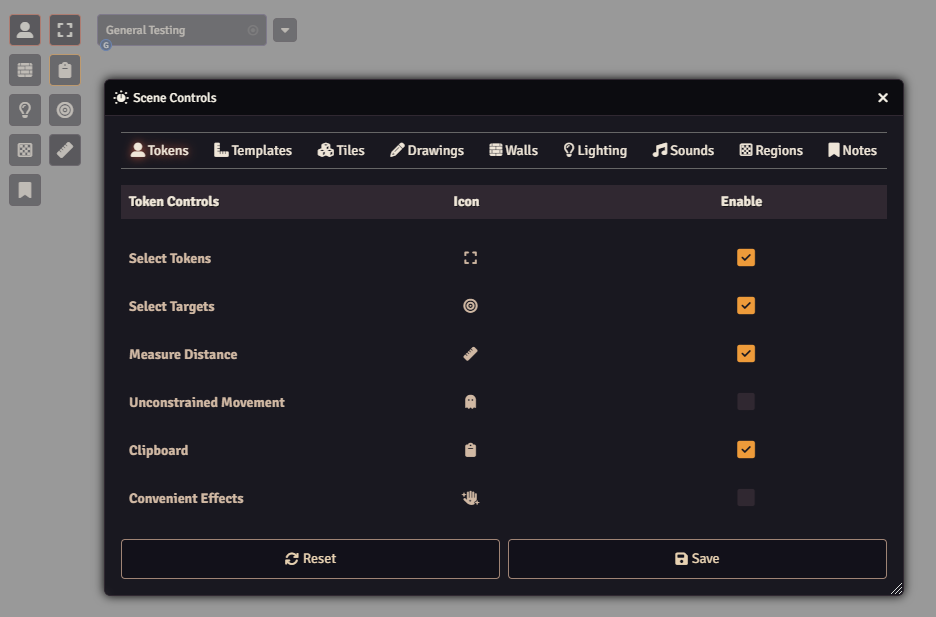
Picky UI controls which parts of the Foundry interface are shown. Config menus toggle individual HUD buttons, sidebar directories, and scene control tools, while separate settings turn off the chat notifications, player list, hotbar, and scene navigation. When every tool in a scene control section is disabled, the section itself is hidden.
Choices are per player and stored per game system, so a layout set up in one system does not carry into a world running another.
Features
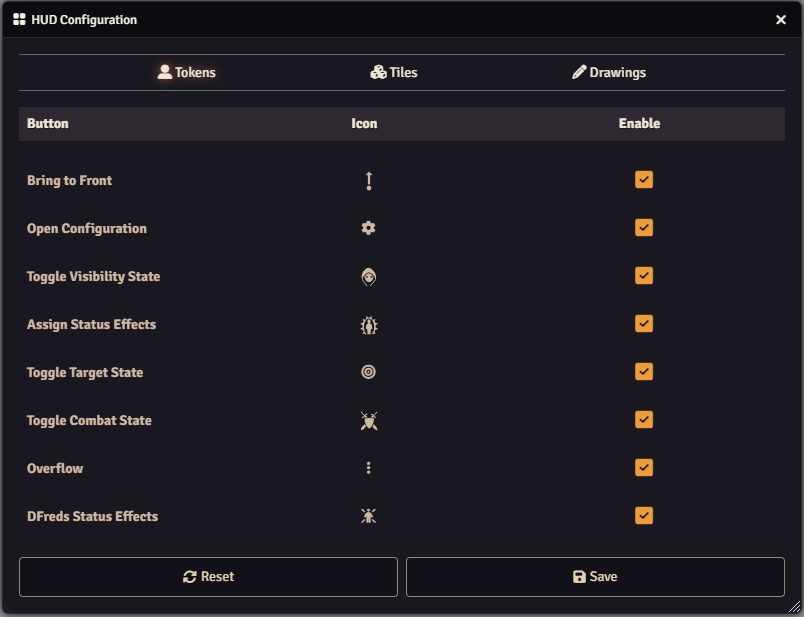
- Toggle on and off any HUD elements on tokens, tiles, or drawings
- Seamlessly works with other modules that add new controls, including those using Lib: DFreds UI Extender
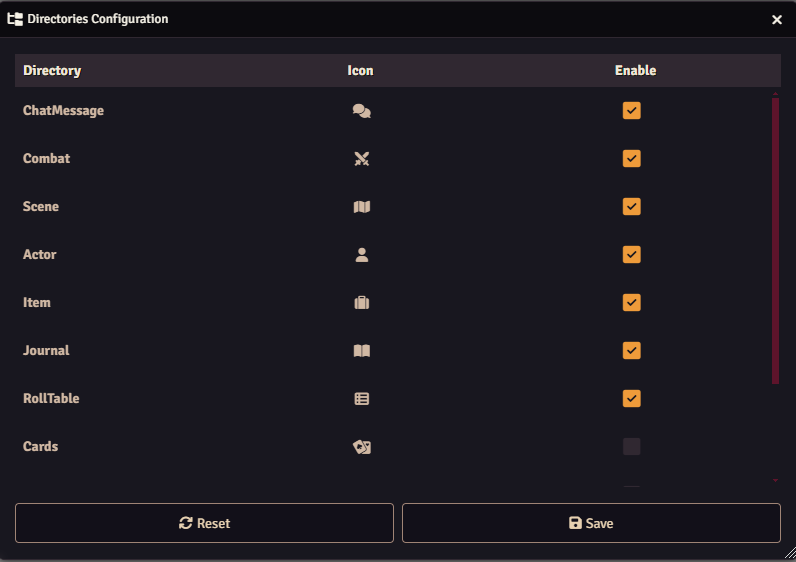
- Toggle on and off any sidebar directories (except Settings)
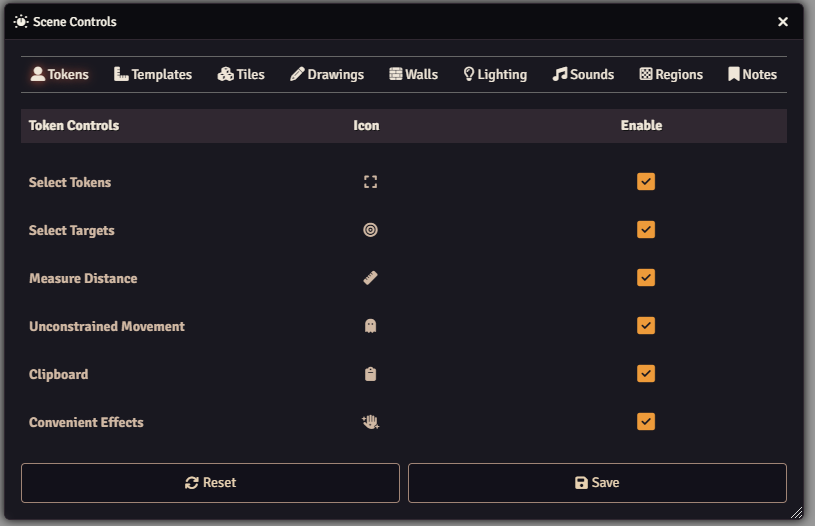
- Toggle on and off any scene controls
- Automatically hides entire sections when all contained tools are disabled
- Seamlessly works with other modules that add new controls, including those using Lib: DFreds UI Extender
- Toggle on and off the chat notifications, player list, hotbar, or scene navigation
Settings
| Setting | Scope | Default | Description |
|---|---|---|---|
| Enable Chat Notifications | Client | Enabled | Whether chat notifications appear. |
| Enable Player List | Client | Enabled | Whether the player list appears. |
| Enable Hotbar | Client | Enabled | Whether the hotbar appears. |
| Enable Scene Navigation | Client | Enabled | Whether the scene navigation appears. |
Three further config menus sit alongside these, each opening its own dialog:
| Menu | Description |
|---|---|
| Directories | Configure which sidebar directories appear. |
| HUD | Configure which HUD buttons appear. |
| Scene Controls | Configure which scene control buttons appear. |
The three config menus store their choices per game system, so a layout you set up in one system will not carry over to a world running a different one.
Configure the HUD on tokens, tiles, and drawings:
Configure the sidebar directories:
Configure the scene controls: